
1. Causes of LED Display Bright Lines
The main causes of bright lines fall into three categories.
أولاً, faulty driver ICs: these chips control the brightness and color of LED pixels, and damage or poor contact can lead to continuous bright lines.
ثانية, damaged PCB boards: excessive voltage, الرطوبة, or physical impact may cause circuit breaks or
short circuits on the board.so resulting in abnormal current supply to certain pixel rows or columns.
Third, loose or damaged connecting cables: the cables linking the control card to the display module,
often loosen due to frequent movement and leading to signal loss and bright lines.
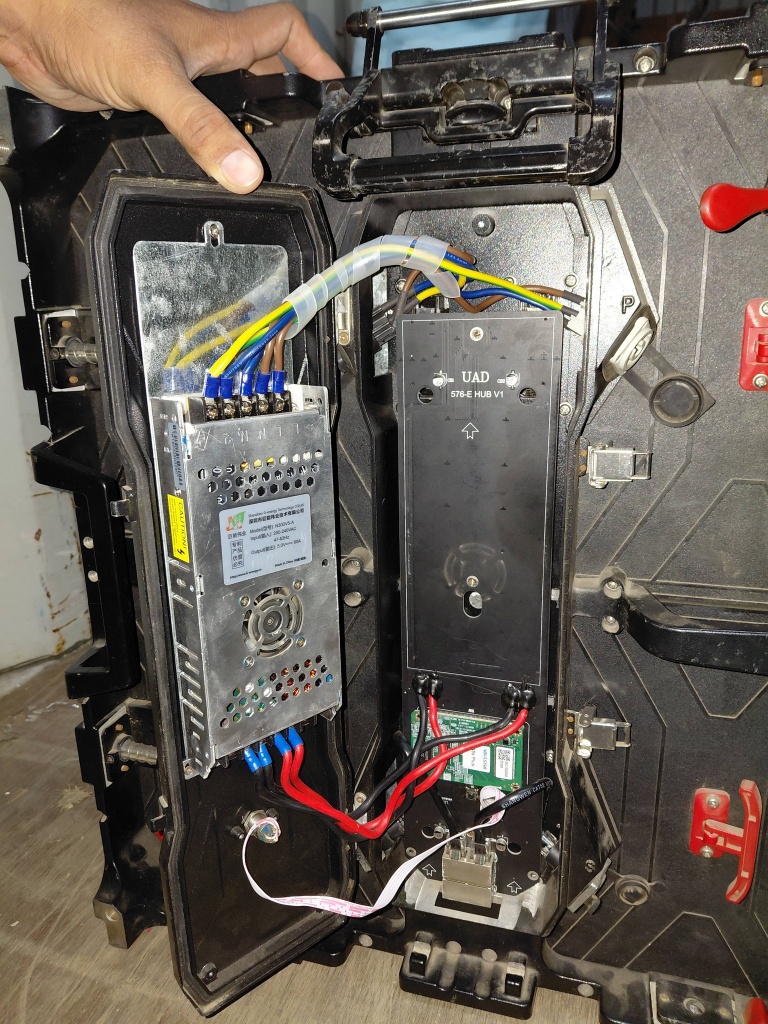
2. Professional Solutions to Bright Lines
Professional troubleshooting requires accurate positioning and targeted operations.
أولاً, locate the fault: use a test tool to check which driver IC or PCB module is faulty by comparing the bright line position with the display’s circuit diagram.
ثانية, replace faulty components: replace damaged driver ICs with matching models and repair or replace broken PCB boards.
For loose cables, reinsert them firmly or replace worn cables to ensure stable signal transmission.
أخيراً, test the display: after repair, run a full-screen test to confirm the bright lines disappear and the display works normally.
3. Maintenance Tips to Prevent Bright Lines
Regular maintenance can significantly reduce the occurrence of bright lines.
أولاً, keep the display in a dry, well-ventilated environment to avoid moisture erosion of internal components.
ثانية, avoid excessive voltage or current fluctuations by using stable power supplies.
Third, clean the display regularly with a soft cloth to prevent dust accumulation from affecting heat dissipation and circuit contact.